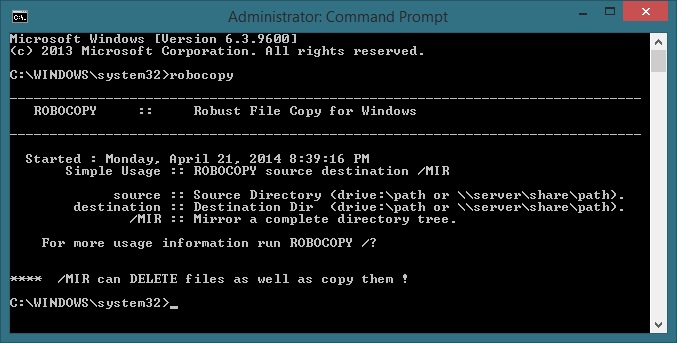
Robocopy is a robust file copy system that is built into windows which allows you to copy and move files with the permissions and shares intact.
Robocopy is noted for capabilities above and beyond the built-in Windows copy and xcopy commands, including the following:
- Ability to tolerate network interruptions and resume copying. (incomplete files are marked with a date stamp of 1980-01-01 and contain a recovery record so Robocopy knows where to continue from)
- Ability to skip NTFS junction points which can cause copying failures because of infinite loops (
/XJ) - Ability to copy file data and attributes correctly, and to preserve original timestamps, as well as NTFS ACLs, owner information, and audit information using command line switches. (
/COPYALLor/COPY:) Copying folder timestamps is also possible in later versions (/DCOPY:T). - Ability to assert the Windows NT “backup right” (
/B) so an administrator may copy an entire directory, including files denied readability to the administrator. - Persistence by default, with a programmable number of automatic retries if a file cannot be opened.
- A “mirror” mode, which keeps trees in sync by optionally deleting files out of the destination that are no longer present in the source.
- Ability to skip files that already appear in the destination folder with identical size and timestamp.
- A continuously updated command-line progress indicator.
- Ability to copy file and folder names exceeding 256 characters — up to a theoretical limit of 32,000 characters — without errors.[1]
- Multithreaded copying. (Windows 7 and Windows Server 2008 R2) [2]
- Return code[3] on program termination for batch file usage.
Today I’m going to show you how I use robocopy and a script that I found that works for me.
I like to save the following code as a .bat file so I can run it easily as an administrator.
@echo off
SET SORC=”D:Test Copy”
SET DEST=”D:Companyshareshared”
SET LOG=”D:Companysharesharedcopylog.log”ROBOCOPY %SORC% %DEST% /E /ZB /DCOPY:T /COPYALL /R:1 /W:1 /V /TEE /LOG:%LOG%
:END
pause
The above code will copy subdirectories, time stamps, ntfs access controls, etc.
To learn more about what the above code means visit this link.
Hope this is helpful to anybody using this robust copy tool